Feature · Voice notes
Hold the button. Say what you want to say.
Voice notes are the part of messaging that feels closest to talking. NatChatt lets you record one in your language, then quietly transcribes and translates it on the way. The other person sees the words in their language, with your voice waiting underneath.
In the app
Audio at the top of the bubble, transcript underneath.
When a voice note arrives, the waveform sits at the top of the bubble so you can tap and listen. The transcript expands below in your language, with a Read more link if it runs long and a Close toggle to collapse it back. The original language is always one tap away.
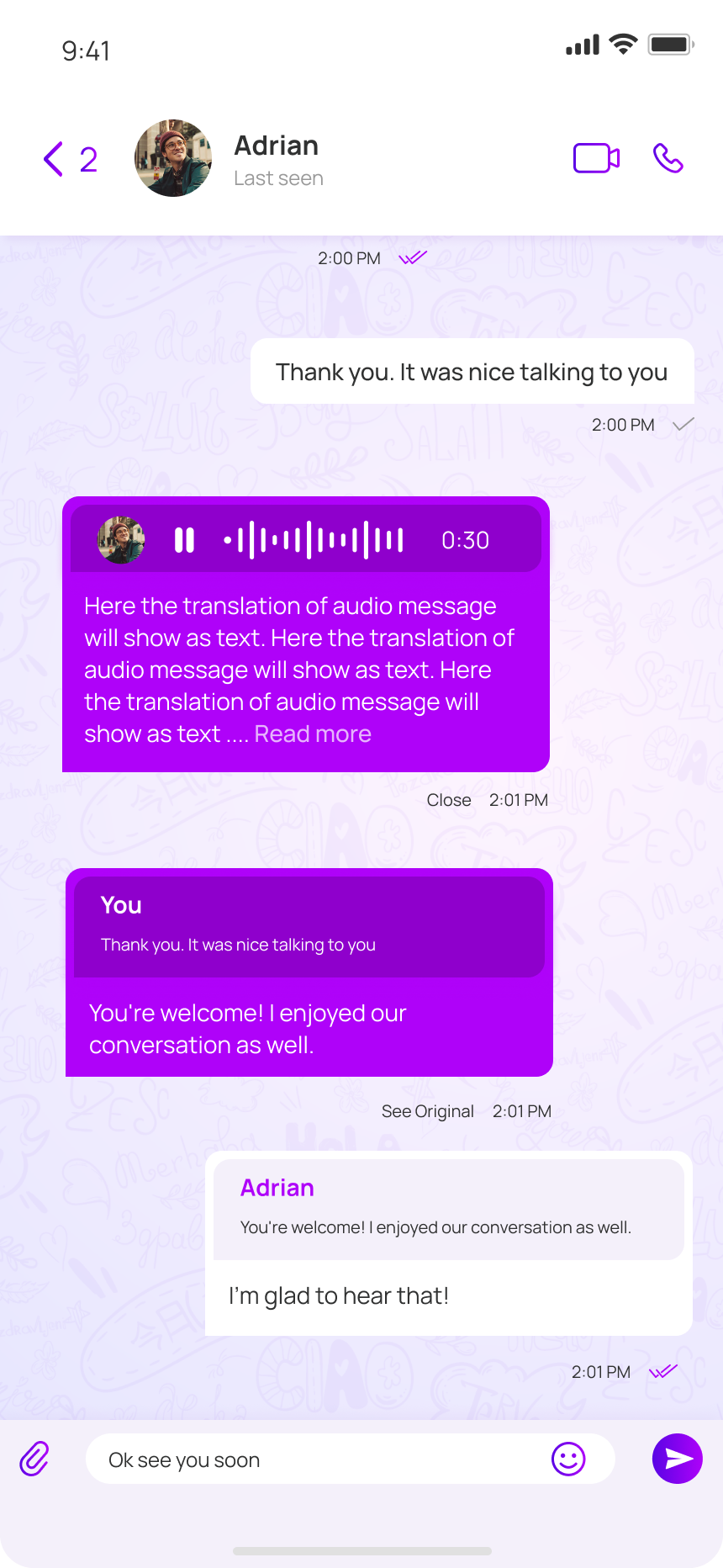
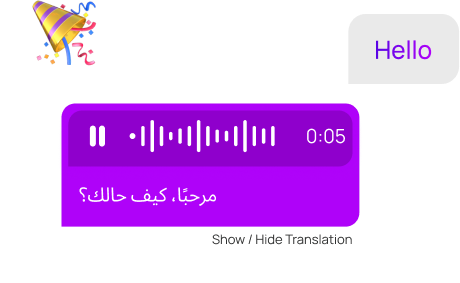
Most of the texting we do across languages would be voice notes if the friction were lower. NatChatt removes the friction. Speak in your language; the message lands on the other phone with a transcript in theirs.
The original audio is not discarded. It stays on the message, so the person reading can hear how you said it. Tone is half of meaning; we’d rather not take that away.
Voice notes go through the same Gemini path as the rest of the app. The audio leaves your phone for as long as it takes to come back as text. Nothing is stored on our side once delivered.
A small moment
A four-minute voice note from your aunt, while she was cooking.
She tells you about the family wedding next month, the price of tomatoes, the cousin who finally moved out. Four minutes is a lot of typing for anyone, in any language.
On your phone, you scroll the transcript on the bus to work, sentence by sentence in English. You play the audio when she gets to the part about your grandfather, because you want to hear her voice say it.